
Connecting a client
Get a token
- Sign in to Acta.
- Settings → Your account, under Access tokens.
- Give it a label you will recognise later (
laptop,CI,Claude Code) and choose Read and write or Read only. - Copy it. It is shown once.
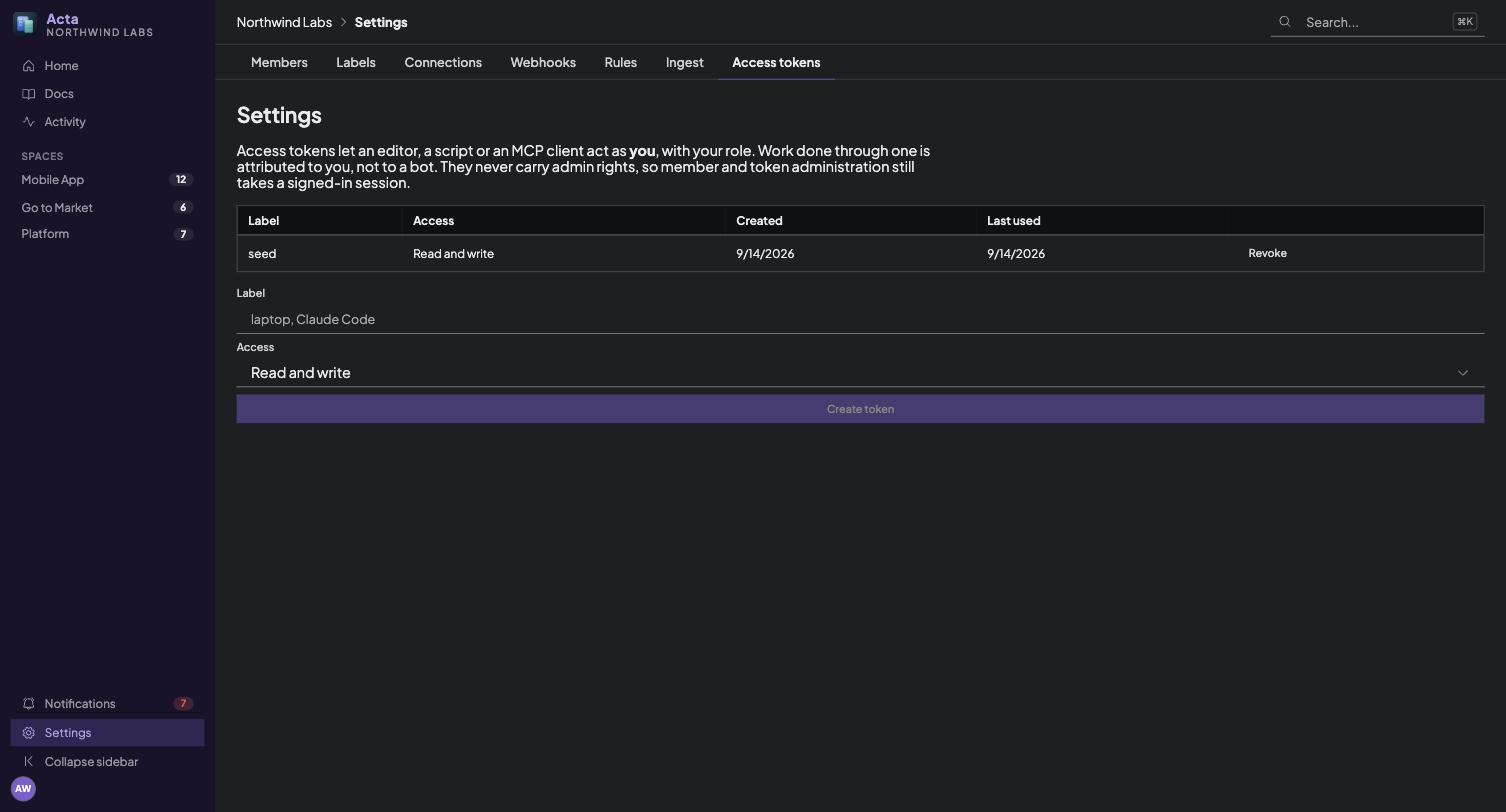
Read-only is worth considering for anything exploratory. An agent that only needs to answer questions about your plan has no reason to hold a token that can archive a card.
Claude Code
claude mcp add acta https://acta.example.com/mcp \
  --transport http \
  --header "Authorization: Bearer acta_pat_..."
Check it:
claude mcp listClaude Desktop
In claude_desktop_config.json:
{
  "mcpServers": {
    "acta": {
      "type": "http",
      "url": "https://acta.example.com/mcp",
      "headers": {
        "Authorization": "Bearer acta_pat_..."
      }
    }
  }
}
claude.ai and other connector UIs
These do not take a pasted token. Add a custom connector pointing at https://acta.example.com/mcp and Acta will take you through signing in and a consent screen instead. Nothing to paste, nothing to configure.
The connection acts as you, with your role, and appears in the audit trail under your name.
To disconnect it, go to Settings → Your account and find it under Connected applications. Revoking cuts every session that connector holds at once, including any it opened by re-authorising, and it cannot mint a replacement afterwards.
Any other client
Transport streamable-http, URL https://acta.example.com/mcp, and an Authorization: Bearer header. The server speaks protocol revision 2025-06-18.
Checking it by hand
The endpoint is plain JSON-RPC, so curl is a complete client:
curl -s https://acta.example.com/mcp \
  -H "Authorization: Bearer acta_pat_..." \
  -H 'content-type: application/json' \
  -d '{"jsonrpc":"2.0","id":1,"method":"tools/list"}' | jq '.result.tools[].name'
And a real call:
curl -s https://acta.example.com/mcp \
  -H "Authorization: Bearer acta_pat_..." \
  -H 'content-type: application/json' \
  -d '{"jsonrpc":"2.0","id":2,"method":"tools/call",
       "params":{"name":"workspace_overview","arguments":{}}}' | jq
Troubleshooting
401 unauthorized. The token is wrong, revoked, or belongs to a different instance. Check it is the whole string including the acta_pat_ prefix.
A write tool returns an error mentioning the write scope. The token was created read-only. Mint a new one, because scopes are fixed at creation.
403 on something administrative. Expected. Personal tokens never carry administrator rights. Use the web app.
Everything returns "unknown tool". The client is probably talking to / rather than /mcp.
Suggested first prompt
Agents work better when told the shape of the tools rather than left to discover it:
Use the Acta MCP server. Call
workspace_overviewfirst to learn the spaces, lists and members. Read withspace_getusingupdated_sincewhere you can, and never read a whole space to change one card. Write withitem_write, batching ops and giving each a uniqueop_id. For documents, usedoc_getwithinclude: ["sections"]and patch single sections rather than replacing whole pages.