
Seeing your changes before they go live
Nothing you do in the console is visible to the public until a release publishes it. That is the point, and it means you need a way to look at your work first. There are two, and they answer different questions.
| You want to know | Use |
|---|---|
| Does this page look right with my edit? | The editor canvas, or the page link beside it |
| Does everything in this release hang together? | Preview release |
Previewing a page you are editing
Open the page under Edit. The canvas in the middle is the real site, rendering the document you are working on. Every change you make appears there as you type, before you have saved anything.
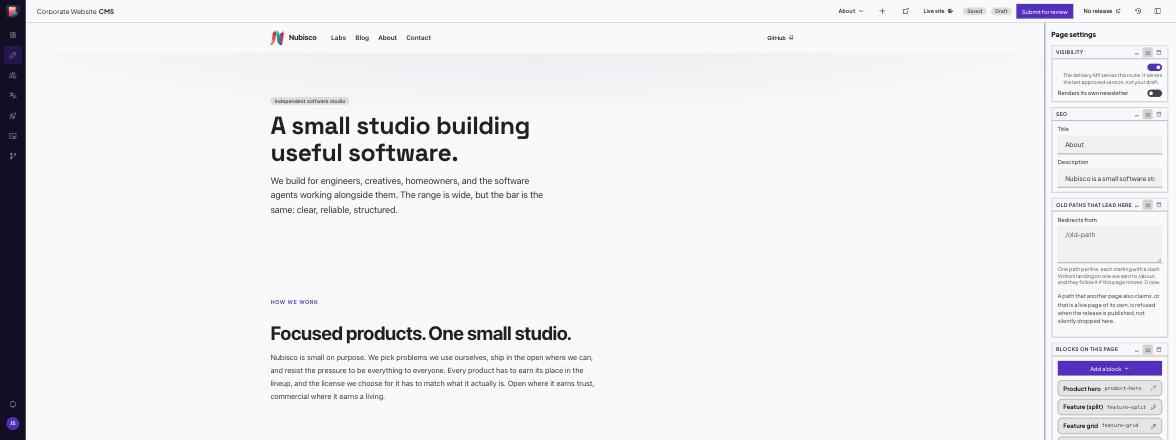
The banner at the top says You are editing a draft. Visitors still see the published version until it is approved. That stays true throughout: nothing here is public.
To see the page in a tab of its own, without the editing chrome, use the page link in the toolbar. It opens the site showing your draft, not the published page, so it is the honest answer to "what will this look like?"
Why the link is not just the site address
It carries a short-lived credential. Reading an unpublished draft is a permission, not a URL you can guess, so the link proves you are an editor of this site. It lasts about twelve hours, and anyone you send it to sees the draft without needing a login. Treat it as you would the draft itself.
Previewing a whole release
A release is several changed pages that go live together. Previewing one page at a time cannot tell you whether they agree with each other, which is the thing you actually need to know before approving.
Open the release and use Preview release.
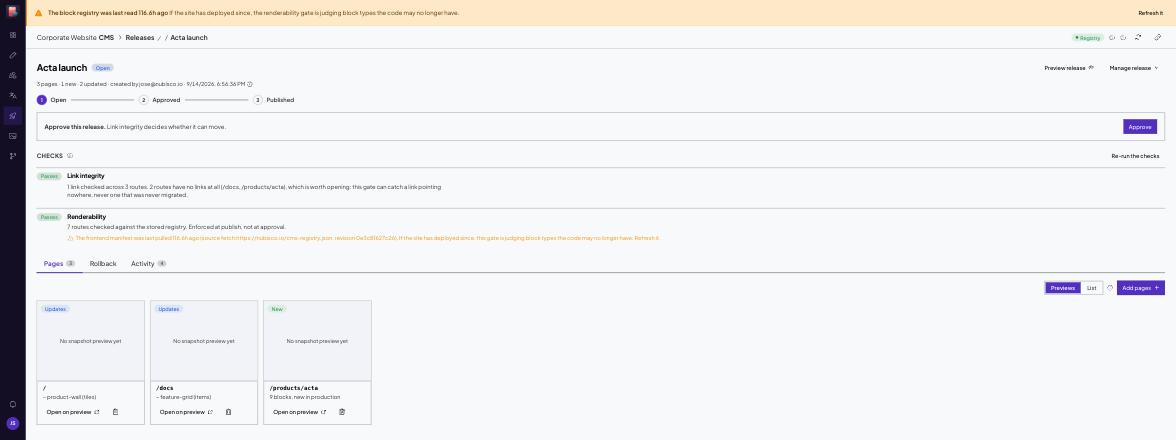
It opens the site with the entire release applied at once, landing on a page the release actually changes. Browse from there normally. Every page in the release shows its new version, and the pages around them show what is live today, which is exactly the mix a visitor will see the moment it publishes.
This includes pages that do not exist publicly yet. Below is /products/acta rendering from a release, on a site where that page is not published and would otherwise be a 404.
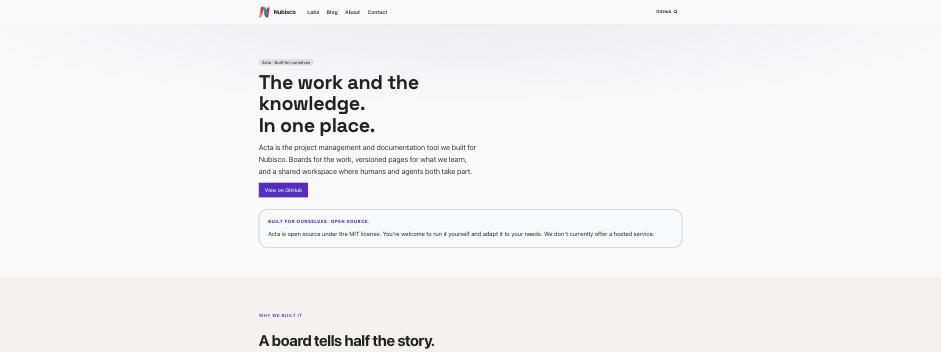
Navigation and the footer come from the release too, so a release that changes the menu previews with the new menu, not the old one wrapped around new pages.
The preview is a real page, not a mock-up
It is the actual site reading the actual release. If something looks wrong here, it will look wrong when it publishes.
What preview cannot show you
One thing is worth knowing before it surprises you.
Some blocks hide content that points at a page which is not live yet. A docs card naming a product whose page has not been published is left out of the page entirely, on purpose, so a held-back product never leaks through a link.
That rule is evaluated against the site as it was last built, not against the release. So a release that adds a product page and adds cards pointing at it will preview with the new page visible and the cards still hidden. Both are correct. Once the release publishes and the site rebuilds, the cards appear.
The console tells you when this is happening, on the release page and beside the field itself:
This row is correct but will not appear on the page as things stand. That product is not out yet: its page is not live in this build.
If you see that note, nothing is broken and there is nothing to fix.
When a preview looks wrong
- The page looks like the published one. Check the address still carries the preview credential. Opening the site from a bookmark, or from a link in another tab, starts an ordinary visit. Re-open it from the console.
- The link says it expired. Preview credentials last about twelve hours. Click Preview again for a fresh one.
- Preview release does nothing and shows an error about environments. The site has no non-production environment to preview against. An admin can add one under Environments.
What is still true
Previewing changes nothing and publishes nothing. The draft stays a draft, the release stays unpublished, and visitors keep seeing what they saw before, until someone approves and publishes it. See Getting changes live for that half.